
Introduction
Remote work is no longer a temporary trend—it has become a core component of the modern digital economy. From software developers and IT professionals to digital marketers and data analysts, millions of professionals rely on home office setups to deliver high-performance results. However, there’s a critical factor that often gets overlooked: the quality of your remote work environment directly impacts your productivity, efficiency, and long-term performance.
It’s not just about having a laptop and an internet connection. High-performing remote professionals understand that ergonomics, hardware optimization, and network performance are the real drivers behind consistent output and focus.
In this guide, we’ll break down how posture, devices, and internet quality influence remote work productivity—and how you can optimize each element to operate at a professional level.
The Hidden Cost of Poor Remote Work Setup
Let’s be clear—working remotely with a poor setup is a productivity killer.
Bad posture leads to fatigue.
Outdated devices slow down workflows.
Unstable internet disrupts communication and execution.
Over time, these issues compound into:
- Reduced efficiency
- Lower output quality
- Increased stress and burnout
For professionals in technology, software development, cloud computing, and IT infrastructure, these inefficiencies can directly impact deadlines, code quality, and collaboration.
Optimizing your setup is not a luxury—it’s a necessity.
Ergonomics and Posture: The Foundation of Sustainable Performance
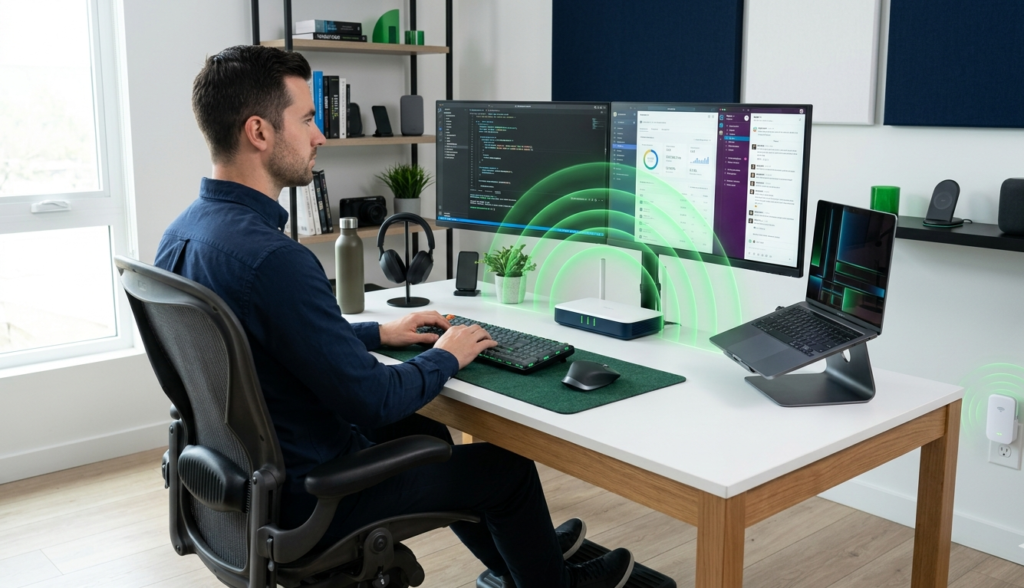
Posture plays a critical role in cognitive performance and physical endurance. A poorly designed workstation can lead to chronic pain, reduced concentration, and lower productivity levels.
A proper ergonomic setup ensures:
- Neutral spine alignment
- Reduced strain on neck and shoulders
- Improved blood circulation
- Higher focus during long work sessions
Professionals working in programming, cybersecurity, DevOps, and data science often spend hours in front of screens. Without proper posture, performance naturally declines over time.
Investing in an ergonomic chair, adjusting monitor height to eye level, and maintaining proper keyboard positioning can significantly improve both comfort and output.
In high-performance remote environments, ergonomics is directly tied to productivity metrics.
High-Performance Devices: Why Hardware Still Matters
Even in the era of cloud computing and SaaS platforms, hardware performance remains critical.
A slow machine creates friction in every task:
- Compiling code takes longer
- Running virtual machines becomes inefficient
- Multitasking becomes frustrating
- Browser-based tools lag
For professionals in software engineering, AI development, and web development, device performance directly impacts delivery speed.
A high-performance setup typically includes:
- Fast processors (multi-core CPUs)
- Sufficient RAM for multitasking
- SSD storage for faster data access
- High-resolution monitors for better workflow visualization
Additionally, peripherals such as mechanical keyboards, precision mice, and dual-monitor setups can significantly enhance productivity.
In short, your hardware should never be the bottleneck in your workflow.
Internet Quality: The Backbone of Remote Work
Here’s where things get serious.
You can have the best posture and the most powerful laptop—but without a fast and stable internet connection, your productivity will collapse.
Remote work today depends heavily on:
- Cloud-based applications
- Video conferencing tools
- Real-time collaboration platforms
- Remote servers and APIs
A weak or unstable WiFi signal leads to:
- Dropped calls
- Slow uploads and downloads
- Delays in deployment and testing
- Frustrating interruptions during meetings
For professionals working with cloud infrastructure, remote servers, DevOps pipelines, and distributed systems, network performance is absolutely critical.
Key factors that define a strong internet setup include:
- High-speed broadband connection
- Low latency
- Stable WiFi coverage across your workspace
- Modern router and signal optimization
This is where many remote setups fail—not because of the internet plan, but because of poor signal distribution inside the home.
Optimizing Your Home Network for Maximum Performance
A common mistake is assuming that a standard router is enough. In reality, WiFi signal degradation happens due to walls, interference, and distance from the router.
To achieve a high-performance remote work environment, you need:
- Dual-band or tri-band WiFi
- Strong signal coverage in all working areas
- Support for multiple connected devices
- Consistent throughput for video calls and data transfer
Technologies like MU-MIMO, Gigabit Ethernet ports, and access point mode are no longer optional—they are essential for modern remote work setups.
For professionals dealing with large files, cloud deployments, or real-time systems, even small network improvements can result in significant productivity gains.
The Competitive Advantage of an Optimized Setup
Here’s the reality: in a competitive digital environment, small optimizations create big advantages.
When your setup is optimized:
- You work faster
- You make fewer errors
- You communicate more effectively
- You deliver higher-quality results
This is especially important in fields like:
- Software development
- IT consulting
- Digital product management
- Freelance tech services
Your remote setup becomes part of your professional identity.
Final Thoughts
Remote work success is not just about discipline or time management—it’s about infrastructure.
Posture affects your endurance.
Devices affect your speed.
Internet affects everything.
Ignoring any of these elements creates bottlenecks that limit your potential.
But when everything is aligned, you unlock a new level of performance.
If your internet connection is the weak link in your setup, it’s time to fix it.
A powerful and reliable WiFi extender can dramatically improve your network coverage, eliminate dead zones, and ensure stable high-speed connectivity across your entire workspace.
👉 Consider upgrading your setup with a high-performance WiFi solution like the TP-Link AC2600 WiFi Booster & Repeater (RE650)—designed for dual-band speed, extended coverage, and seamless connectivity for demanding remote work environments.

- 𝐔𝐥𝐭𝐢𝐦𝐚𝐭𝐞 𝐖𝐢𝐅𝐢 𝐄𝐱𝐭𝐞𝐧𝐬𝐢𝐨𝐧 – Boost your network with AC2600 dual-band speeds up to 2533 Mbps (1733 Mbps on 5 GHz and 800 Mb…
- 𝐐𝐮𝐚𝐝-𝐀𝐧𝐭𝐞𝐧𝐧𝐚 𝐃𝐞𝐬𝐢𝐠𝐧 – Features four high-performance external antennas to provide ultimate coverage and reliable connect…
- 𝐌𝐔-𝐌𝐈𝐌𝐎 𝐖𝐚𝐯𝐞 𝟐 & 𝐁𝐞𝐚𝐦𝐟𝐨𝐫𝐦𝐢𝐧𝐠 – MU-MIMO technology allows the RE650 to communicate with multiple devices simultaneously f…
Because in remote work, your connection is your lifeline.